Ask most clinicians what they do after clinic finishes, and you get the same answer. Notes. An ambient scribe promises to hand that hour back, though only if you set the workflow up around it properly.
Here is how to use an AI medical scribe. Ask the patient, start the recording, and consult the way you normally would while the tool listens in the background. It drafts the note in your chosen format, usually within a minute or two of the visit ending. You read it, correct what is wrong, and sign it. Setup itself is a fifteen-minute job.
The rest of this guide covers the parts nobody warns you about: what to say aloud, what to check before signing, and why week three catches people out. Getting started with an AI scribe is less about the software than the habits around it.
What an AI Medical Scribe Does During a Consultation
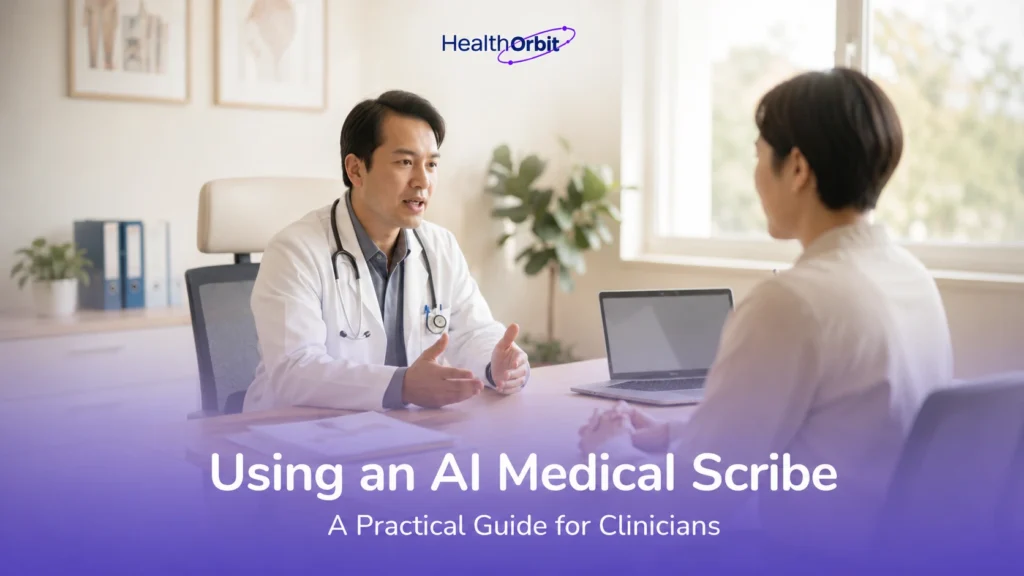
An AI medical scribe listens to the conversation between you and the patient, then writes a structured clinical note from it. There is no dictation and no voice commands. The tool separates speakers, keeps the clinically relevant detail, drops the small talk, and drafts into the template you have chosen. A draft is usually ready within seconds to a couple of minutes of the consultation ending, depending on the tool.
What it picks up from the room:
- Presenting complaint, history, and symptoms described out loud
- Examination findings you say as you go
- Assessment, differential thinking, and the plan you discuss with the patient
- Follow-up instructions, referrals, and safety-netting advice
What stays with you:
- Anything never spoken aloud, including silent examination findings and results you read on screen
- Clinical judgement and the wording of the final impression
- Corrections to anything the tool misheard or over-interpreted
- Sign-off, which is always a human act
The distinction matters. A scribe is a listener, not a clinician, and the whole of how to use an AI medical scribe safely rests on that line staying clear.
Setting Up Your AI Scribe Before the First Patient
Setup takes about fifteen minutes plus one test run. You connect the scribe to your EHR and pick a note template, decide which consultations to start with, and agree the consent wording your team will use.
Connecting the Scribe and Choosing a Template
Work through the basics in order, because each one affects the next:
- Set your profile. Specialty, country, and language shape the terminology the tool reaches for.
- Connect your EHR. Either a direct integration or an agreed copy-and-paste route. Decide which before a patient is in front of you.
- Pick your template. SOAP handles most general consultations. Referral letters and procedure notes need their own.
Then run a mock consultation with a colleague and read the draft closely. It is the most useful step in any AI scribe setup guide, and the only one that tells you what the tool actually hears in your room, with your accent, at your speed.
Choosing the Consultations to Start With
Start narrow. One clinic session, or one appointment type you see often, and use the scribe for every patient in it. Routine follow-ups give the cleanest first drafts because the structure repeats. Save the interpreted consultations and the noisy, crowded rooms for week two.
Getting Patient Consent Right
Ask before you start recording, in plain words, and note the answer. Something like this covers it:
“I use software that listens to our conversation and writes my notes. It stays within the practice. Are you happy for me to use it?”
If they say no, turn it off and write the note yourself. That has to be a real option, not a formality, and the whole team should offer it the same way. Recording and health data rules differ by country, so confirm what applies to you with your national regulator or data protection authority before you roll it out across the practice.
How to Use an AI Medical Scribe During the Visit
Once the scribe is running, your job is to consult normally and say the things you would otherwise type. The tool only knows what it hears. Nothing changes about how you talk to the patient. What changes is how much of your thinking makes it into the air.
A few habits do most of the work:
| Habit | Why it helps |
| Place the mic between you and the patient | Distance and desk clutter cost you more accuracy than accents do |
| Narrate the examination as you do it | Silent findings never reach the note |
| Say drug names, doses, and durations clearly | These are the details that cost the most time to fix afterwards |
| Speak the plan and safety-netting out loud | Good for the note, better for the patient |
| Mark the end verbally, then stop the recording | Corridor conversation should not land in the chart |
The one that catches people out is pausing. If you step out, take a call, or the patient raises something they do not want documented, stop the recording rather than hoping the tool will filter it. Of all the AI scribe workflow tips worth learning in week one, that is the one clinicians say they wish they had known on day one.
Should You Trust the Draft Note? Review and Sign With Care
Trust the draft to save you typing. Do not trust it to be right. An ambient scribe produces a good first version most of the time, and a confident, plausible, wrong one occasionally, which is the harder failure to spot. Every note gets read before it is signed, and that read is the part of the job the tool cannot take off you.
The Five Things to Check Before Signing
- Medications, doses, and frequencies. Numbers and drug names are where a mishearing does real damage.
- Negatives. Check that a symptom the patient denied has not been recorded as present, or the reverse.
- Anything you did not say aloud. Silent examination findings, screen results, and your own reasoning.
- Invented detail. If a line reads well but you cannot remember saying it, delete it. Fluent text about things that were never said is what people mean by clinical AI hallucinations, and it slips past a quick read far more easily than an obvious mistake does.
- Structure. The assessment should carry your judgement, not a replay of the conversation. That is the difference between a transcript and a good SOAP note.
Correcting the Scribe Without Losing Time
Edit immediately, while the consultation is fresh. Notes left until the end of clinic take longer to check, because you are reconstructing the visit from the draft rather than recognising it.
Most tools let you regenerate a section or add a short instruction rather than rewriting by hand. Use that for structural problems and type over small errors directly. If the same correction comes up every day, fix the template instead of fixing the note.
AI Medical Scribe Best Practices and the Mistakes to Avoid Early
New users tend to trip on the same few problems, and all of them are easy to undo once you spot them.
The most common is leaving every note until the end of clinic. It feels efficient. It is not. By then you are working out what a draft means rather than recognising it, and reviewing twelve in a row takes far longer than twelve short reviews between patients would have.
The second one arrives later, usually once the drafts start coming back clean. You skim instead of read. Week three is when that tends to creep in, so it is worth watching for.
Three smaller ones:
- Slowing your speech for the microphone. It does nothing for the note and the patient notices.
- Retyping the same correction daily instead of changing the template.
- Handing the tool to the whole practice on day one. Let one or two clinicians learn how to use an AI medical scribe first.
Ask those clinicians to write down what they changed in the first fortnight. That short list becomes your own AI medical scribe best practices, and it will fit your clinic better than anything generic.
Your First Month With an Ambient Scribe, Week by Week
Most clinicians settle into it within two to four weeks. The pattern below is typical rather than fixed, and specialty, clinic pace, and how much you already say aloud all shift it.
| Week | What you are doing | What to watch |
| 1 | One session or appointment type only. Heavy editing expected. | How much of your reasoning is silent |
| 2 | Widen to a full clinic. Adjust the template. | Which corrections keep repeating |
| 3 | Consulting normally, editing lightly. | Skim-reading creeping in |
| 4 | Add the harder cases: interpreters, noisy rooms, complex reviews. | Whether notes are done before you leave |
If week three still feels like work, the usual cause is the template rather than the tool. Ambient scribe onboarding tends to stall there, and one template fix often clears it.
Keep a note of your editing time in week one. Set against week four, it is the only honest measure of how much time it gives back, and the real result of your AI scribe’s first month.
Where to Start
Pick one clinic session next week and run the scribe through every patient in it. Most of how to use an AI medical scribe is learned that way rather than from reading about it.
If you have not picked a tool yet, start by comparing what is on the market. Template quality and EHR integration are where they differ most, and this guide assumes both are already settled.
To see how the Ambient AI Scribe handles your own note templates, book a walkthrough with your usual consultation types rather than a generic demo.
Frequently Asked Questions
Does an AI medical scribe work with any EHR?
Some connect directly to the major systems. Where there is no integration, copy and paste works with anything, though it adds a step to every note.
Do patients need to agree to being recorded?
Yes. Ask before you start, note the answer, and check what your national regulator requires, because recording rules differ by country.
How accurate are AI scribe notes?
Accurate enough to save you most of the typing. Not accurate enough to sign unread, which is why every sensible guide on how to use an AI medical scribe puts a human check at the end.
How long does it take to learn how to use an AI medical scribe?
Setup is a fifteen-minute job. Getting started with an AI scribe properly takes two to four weeks, and most of that time goes on adjusting how much of your thinking you say out loud.
Is an AI scribe better than a human scribe?
A human catches context an AI misses, an AI never calls in sick, and how the two compare depends mostly on your clinic volume.